
Pictures and procedures of my wife rewiring the apartment to CAT5e with zero cost. All it’s going to cost you is a bunch of cat5 plugs, possibly a cable crimping tool, and a cable tester (optional).
NOTE: remember to get permission before doing the work from apartment managers — best approach: “Hey I want to make use of the cabling, can I call a contractor — will you pay for it? Or I can do it myself”
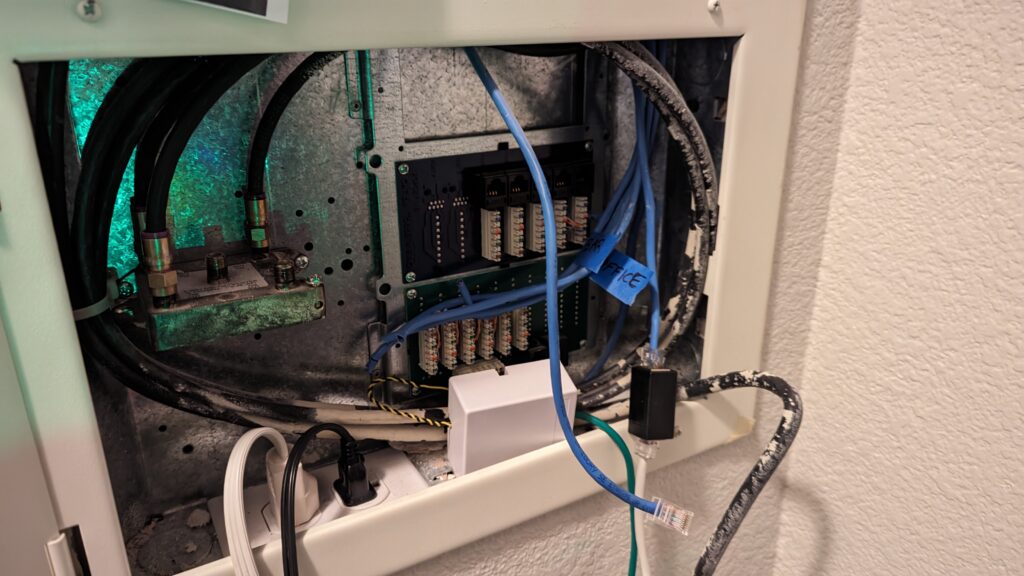
The panel before my wife took the pliers to it…
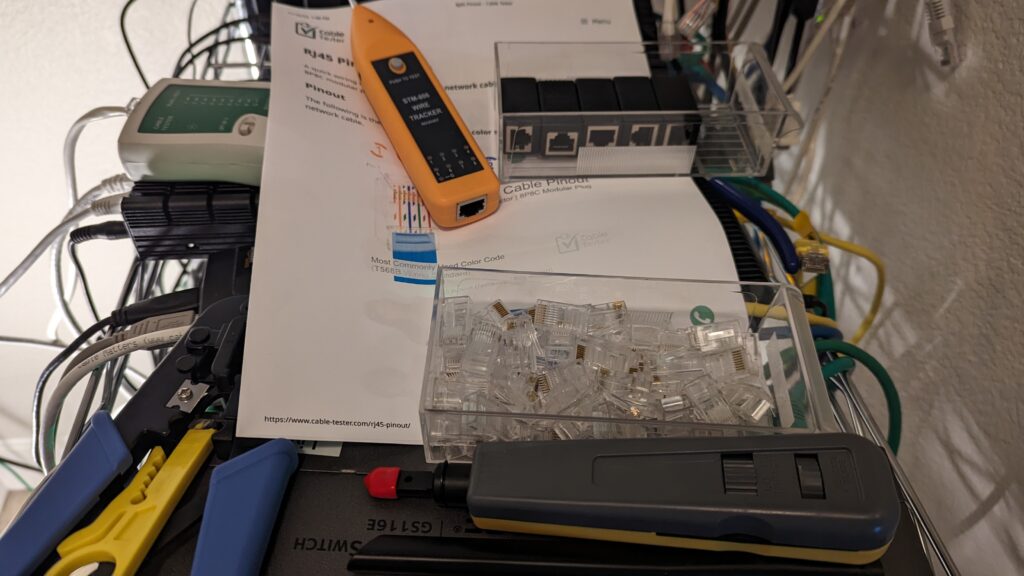
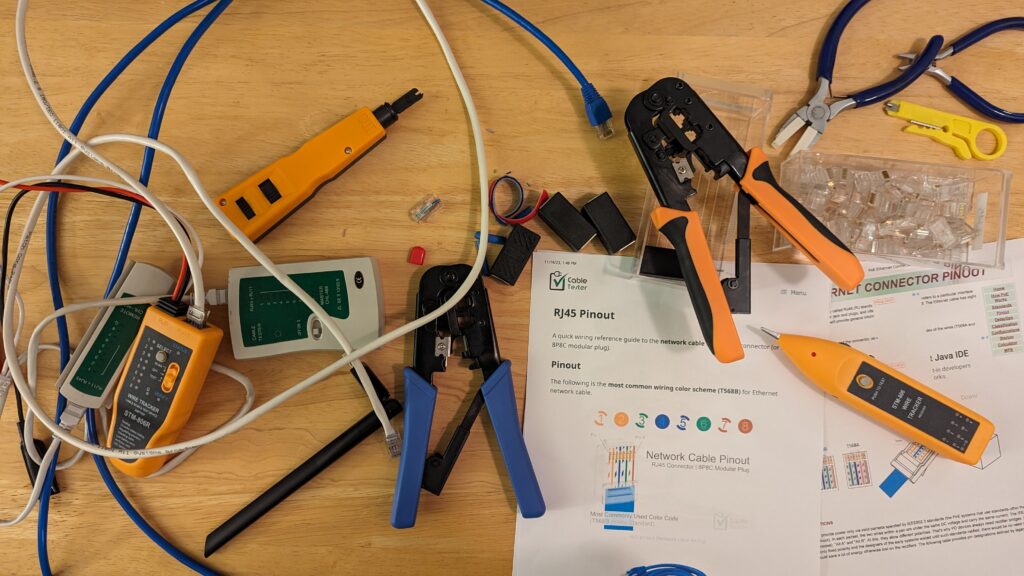
Tools needed to complete the task — CAT5 wire crimps,CAT5 cables, CAT5 wire testers, RJ45 pinout maps…
Wires went to every room, we cut the RJ45’s from the “telephone panel” and put RJ45’s on each wire… everything was going fine, except that the cable to “Den” was faulty — wire #1 (of 8) was not connected.
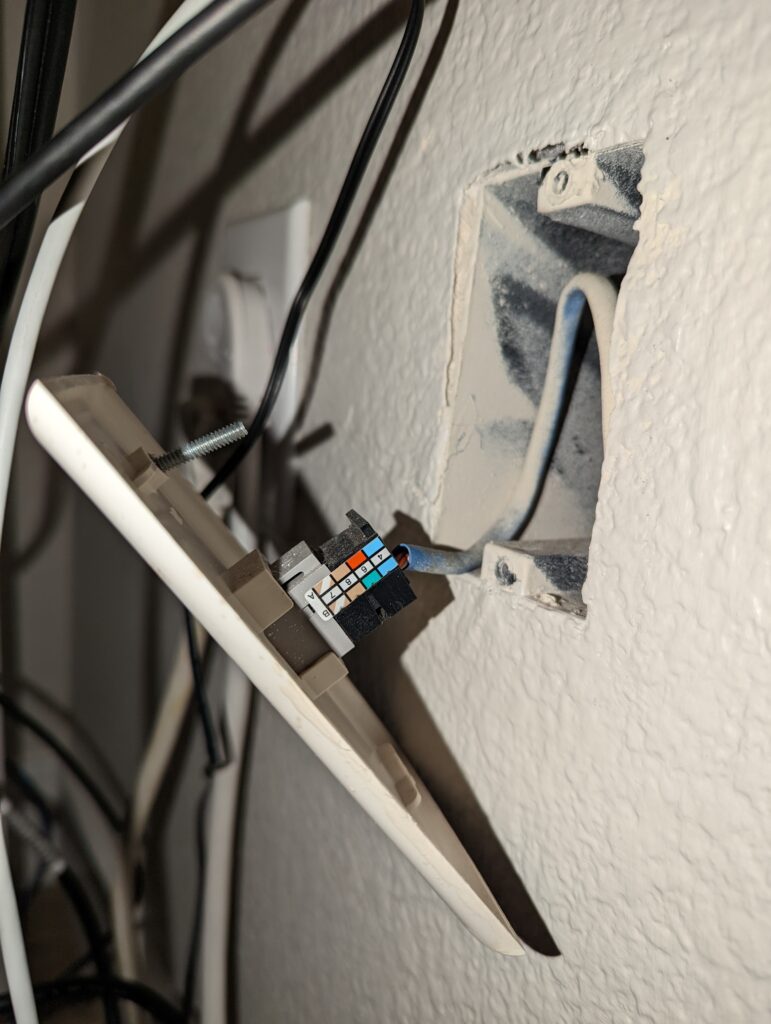
We pulled the Den Keystone jack out, cut it at the jack, rewired the connection…
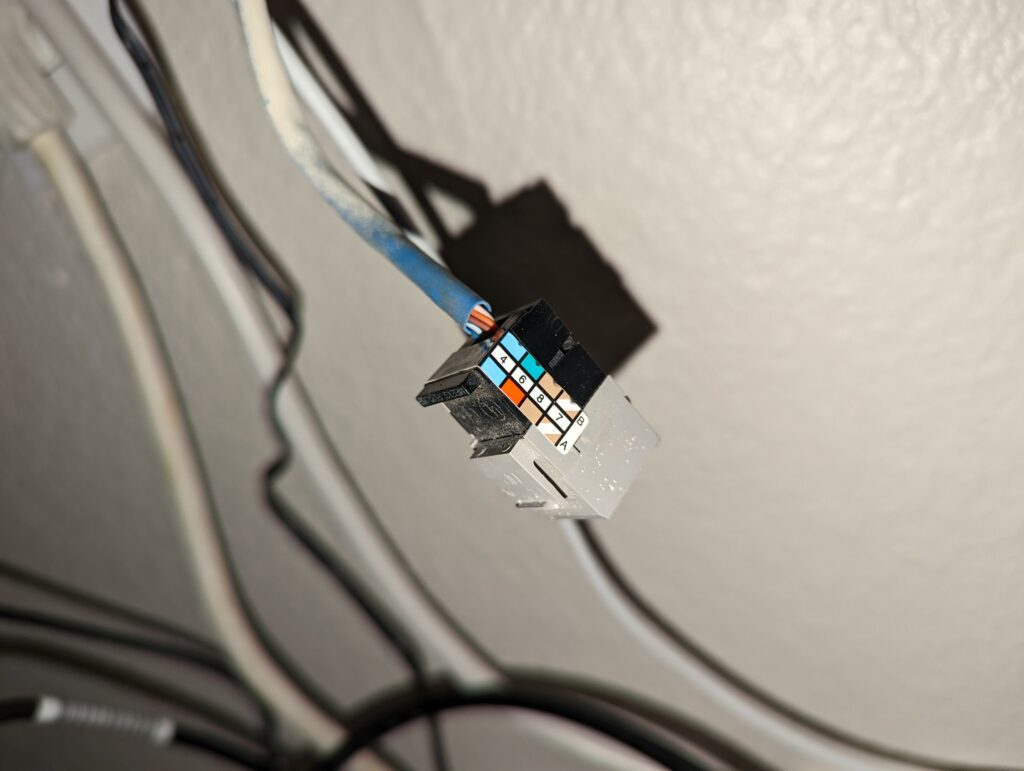
Replaced with a good keystone jack. Now the connection was good, worked all the way — to 2.5Gbps.
So, don’t trust the wiring and the jacks before you test them, they may have been mishandled by previous tenants — now comes a surprise!
BUT, what if the wiring goes even further? Let’s add an SPF (optical wired connector, just to test it out).
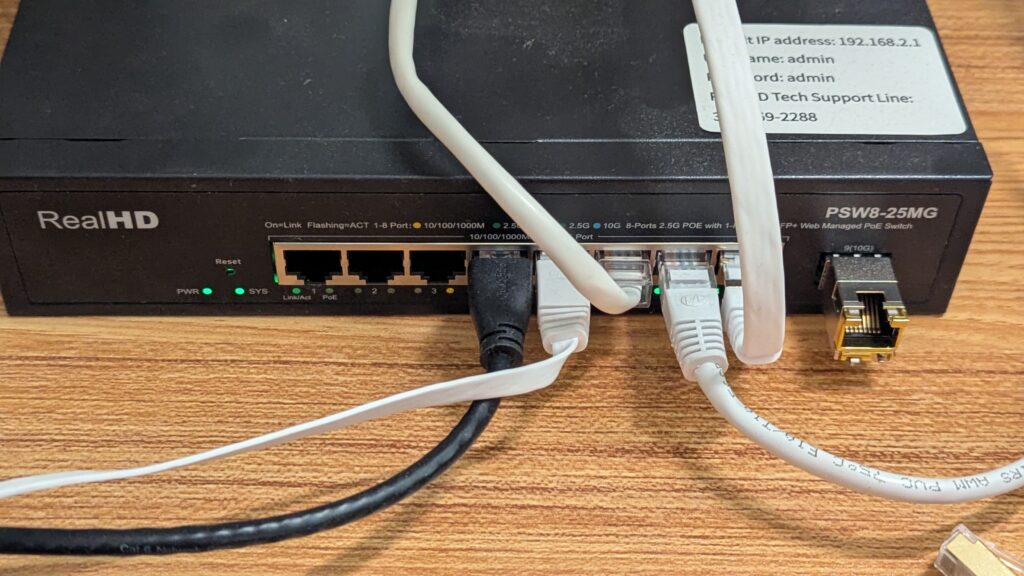
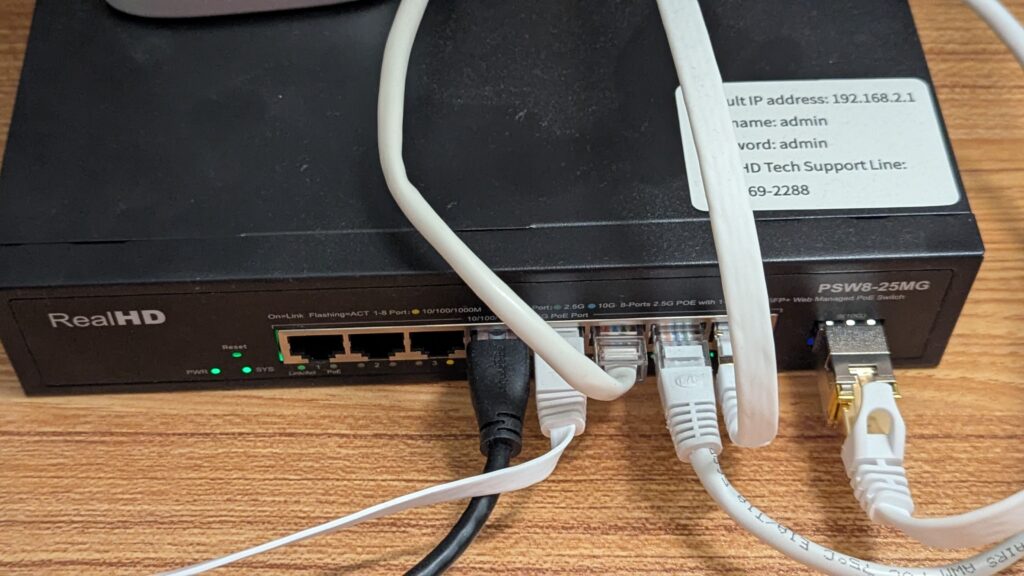
Surprise — the wiring (with) an SPF goes ALL the way to 10Gbps!
Obviously, you don’t trust this without testing it thoroughly — for the last 6 mths, no errors, no malformed packets, and the Den is wired with 10 Gbps.
The office (another room — MINE!), like wise same switch, got a bunch of PoE’s (Power over Ethernet), and and assortment of 1Gbps, and 2.5Gbps, with a 10Gbps uplink! What is the use of this? I only have a 1Gbps AT&T symmetric link, but I have plenty of servers, such as web servers, DNS servers, LLMs, Email, Jellyfin, etc — I do enjoy the 2.5Gbps/10Gbps links from my desktop and the wifi points, when we venture out to the ‘Net.

The saga ends happily with a number of devices in the server closet being either 1Gbps or 2.5Gbps, and the Den and office being 10Gbps, wait for an upcoming post about the wireless access points!
BTW, you will absolutely want to check the error statistics on either end of the 10Gbps ports, mine remain at zero errors, hard to believe. But then I double checked with iperf3 on local machines, still zero errors and full expected bandwidth.